# Export Documents in CSV using UI

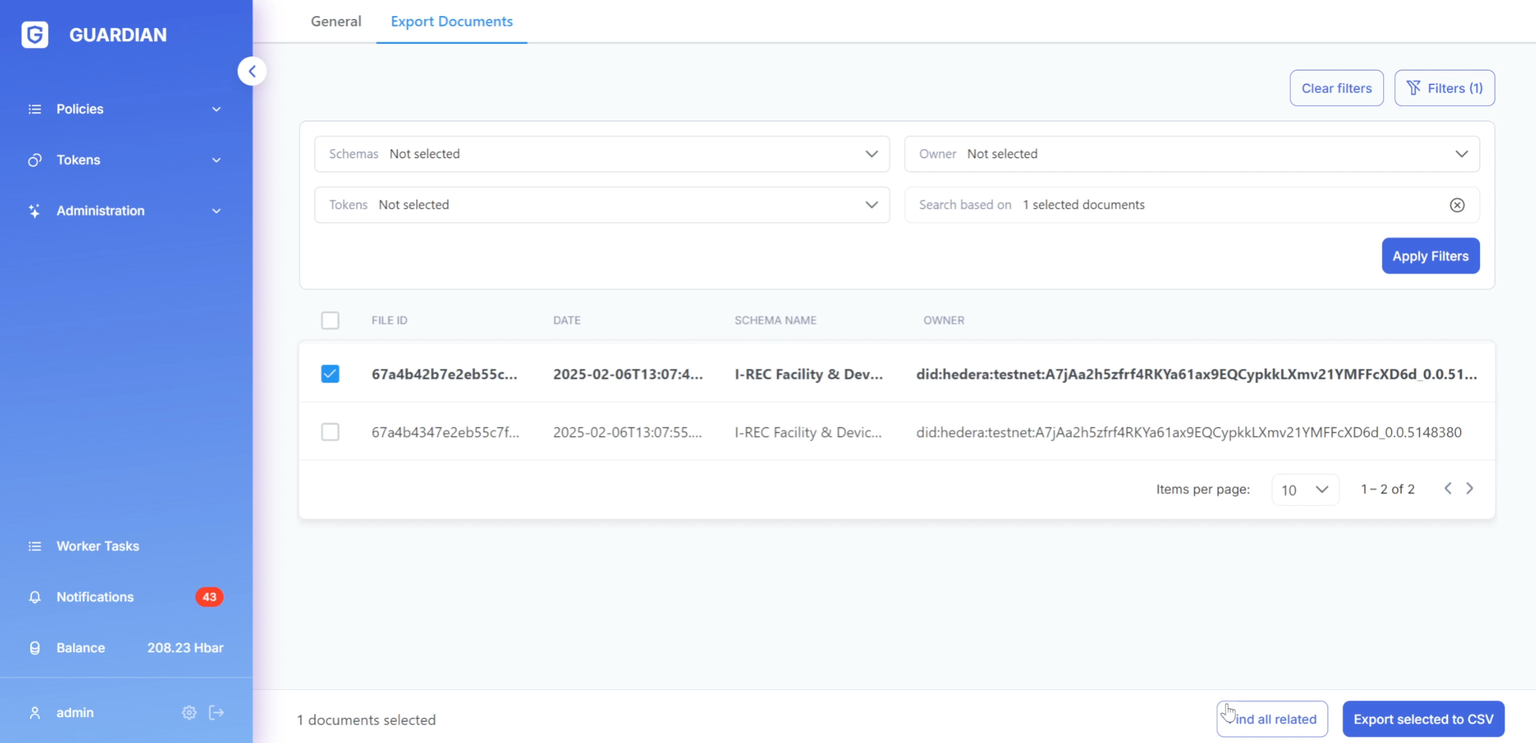
1. Users with the POLICY\_EXECUTE permission can access the "Export documents" tab while executing a policy.

* This page displays a table listing project documents (both user-owned and all documents relevant to the SR role).
* The "Export documents" feature allows users to download these documents in CSV format.
* Clicking the "Export to CSV" button downloads all documents currently shown in the filtered view.
* Alternatively, users can select specific documents from the table to export only those.

<figure><img src="https://3006114282-files.gitbook.io/~/files/v0/b/gitbook-x-prod.appspot.com/o/spaces%2FXVOaWpJKxLZf1Tee9eCO%2Fuploads%2FfNUrRVGwwwLmCvorcYyU%2Fimage.png?alt=media&#x26;token=10a10d89-f80c-4c28-b9cf-65987eaf515e" alt=""><figcaption></figcaption></figure>

<figure><img src="https://3006114282-files.gitbook.io/~/files/v0/b/gitbook-x-prod.appspot.com/o/spaces%2FXVOaWpJKxLZf1Tee9eCO%2Fuploads%2FVl5q9qrlUXqIKOyPrrIZ%2Fimage.png?alt=media&#x26;token=97a712cd-65cc-47ad-969d-c145f3deb462" alt=""><figcaption></figcaption></figure>

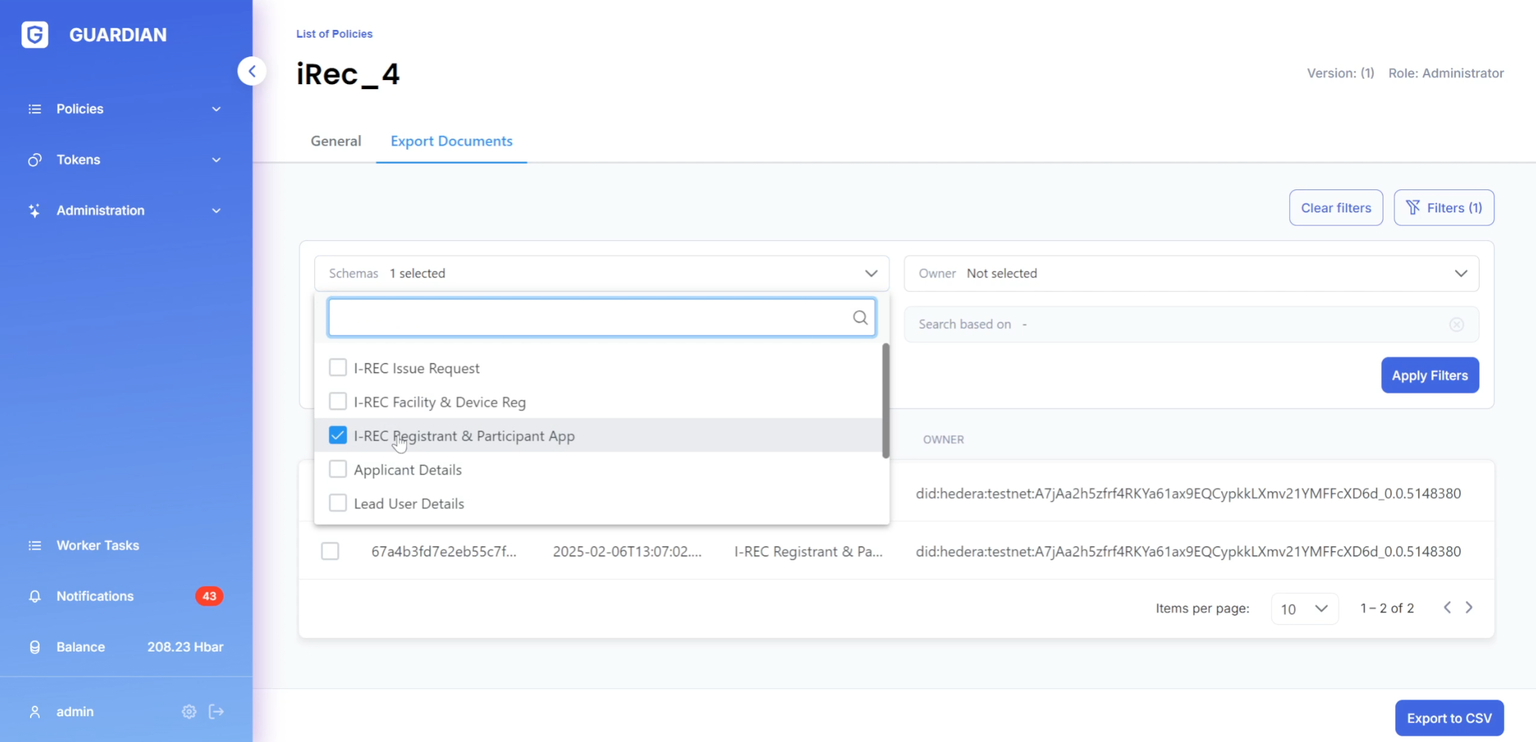
2. A filtering section is available to narrow down document selection.

* Filters include schemes, owners (for the SR role), tokens, and related documents.
* To filter by related documents, first select one or more documents from the table, then click "Find all related".

<figure><img src="https://3006114282-files.gitbook.io/~/files/v0/b/gitbook-x-prod.appspot.com/o/spaces%2FXVOaWpJKxLZf1Tee9eCO%2Fuploads%2FxD4uXT18Y8MKsWn6uQ14%2Fimage.png?alt=media&#x26;token=60164acc-64a0-4408-a587-20aac1d7ceca" alt=""><figcaption></figcaption></figure>

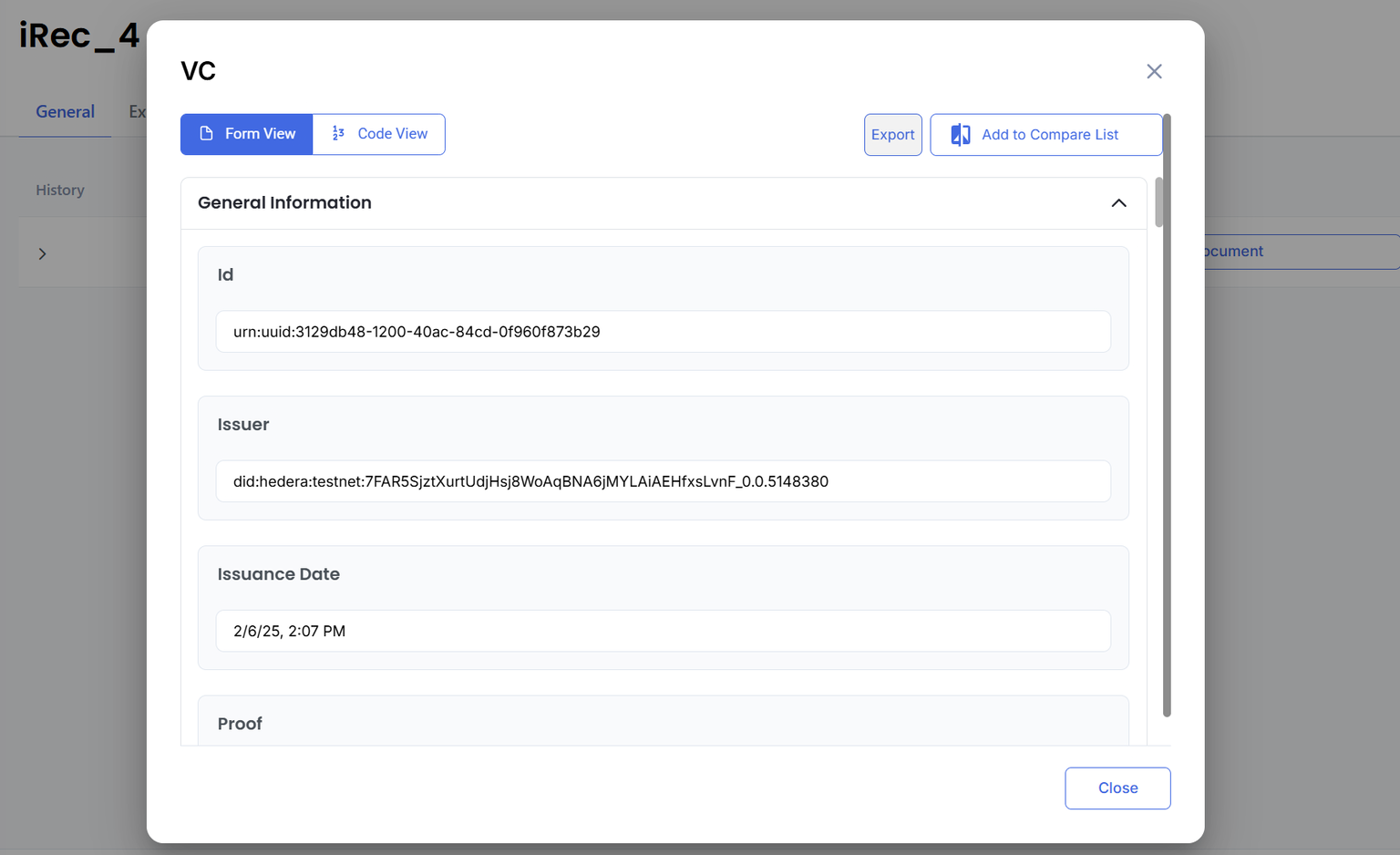
3. Users can also access the "Export documents" page directly from the document dialog window during policy execution.

<figure><img src="https://3006114282-files.gitbook.io/~/files/v0/b/gitbook-x-prod.appspot.com/o/spaces%2FXVOaWpJKxLZf1Tee9eCO%2Fuploads%2FCl1djJMUrFR7ikSyBCvp%2Fimage.png?alt=media&#x26;token=a85928a4-aa23-4021-9394-e27db9e86ae2" alt=""><figcaption></figcaption></figure>