# Creating Schema using UI
### 1. **Log in as a Standard Registry**
* Only a **Standard Registry (SR)** role can create schemas.
* Sign in to Guardian with your SR account.
### **2. Navigate to the Schema Section**
* From the left-hand navigation panel, go to **Manage** **Schemas**.
* You’ll see system schemas (default ones) and any custom schemas already created.
### **3. Create a New Schema**
* Click **“Create Schema”**.
* Provide basic details:
* **Name** → e.g., *Project Registration Schema*
* **Policy** → Linking the policy e.g., VM0042 V2.1
* **Description** → short explanation of what the schema will be used for
* For(Entity) → Select the relevant document.
### **4. Define Schema Fields**
* Add **attributes (fields)** that define the data structure. For each field, you specify:
* **Field Name** (e.g., *projectId*, *location*, *CO2Reduced*)
* **Property** (property referring to schema field)
* **Field Type** (string, number, boolean, array, object, date, etc.)
* **Required or Optional**
* **Allow multiple answers checkbox**
* **Selected values (adding default, suggested, test values)**
* Example fields for a Project Schema:
* `projectId` → number (required)
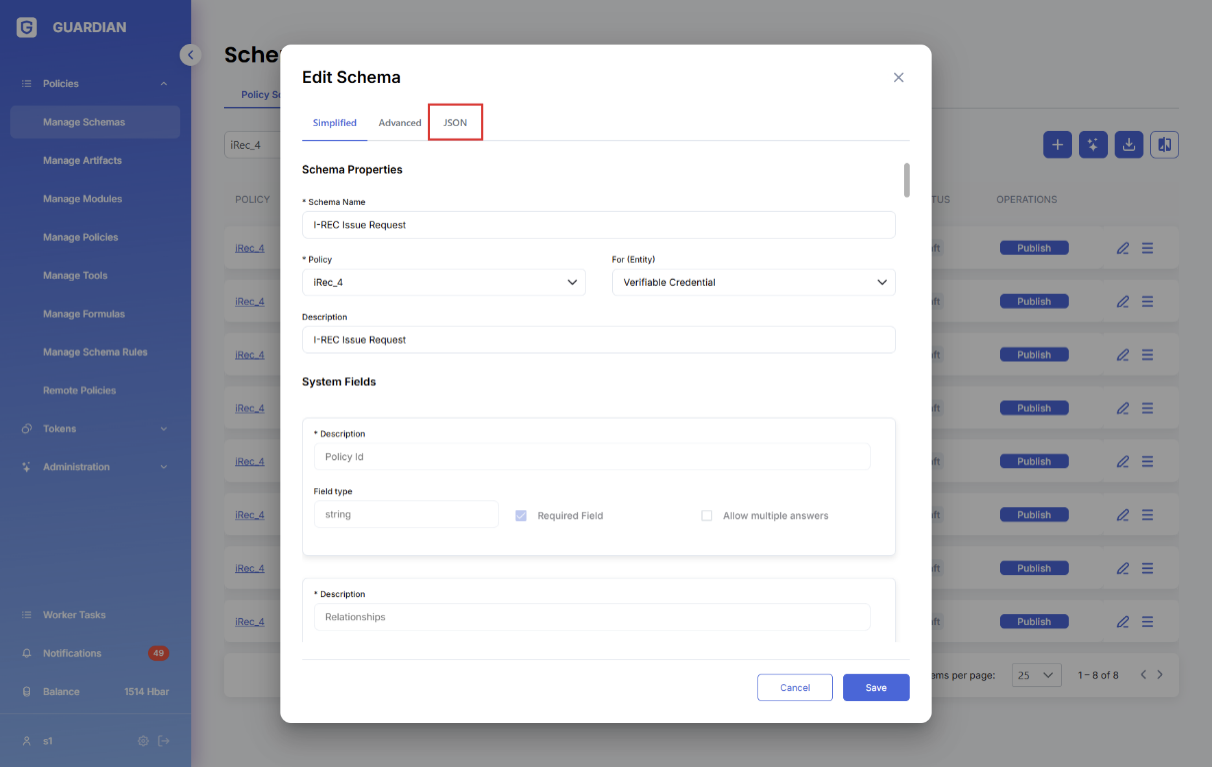
We can also customize the Field keys and Field Title by clicking on Advanced Tab.
Schemas can be defined/changed by editing their JSON definitions
Schema JSON definition contains the following editable fields
1. **name** – schema name
2. **description** – schema description
3. **entity** – schema type (NONE, VC, EVC)
4. **fields** – schema fields array
1. **key** – key (name) of the field
2. **title** – field title
3. **description** – schema description (visible to the user)
4. **required** – field visibility/type (Auto Calculate, Hidden, Required, None)
5. **type** – field value tipe (Number, String, Enum, …) or the sub-schema reference (#be764ef6-…)
6. **isArray** – boolean field (true\false) determining whether the field is an array
7. **property** – optional field mapping onto the corresponding property from dMRV framework ()
8. **private** – if the field is private (only relevant for ‘selective disclosure’ EVCs)
9. **enum** – array of options, or reference to an array of options
10. **textSize** – size of the text (only for Help Text)
11. **textColor** – color of the text (only for Help Text)
12. **textBold** – if the text is bold (only for Help Text)
13. **pattern** – regular expression to format the inputted text (only relevant for Strings)
14. **expression** – formula for calculating field values (only for ‘Auto Calculate’ fields)
15. **unit** – fixed Prefix or Postfix (only for Prefix or Postfix)
16. **example** – example values for the field
17. **default** – default value for the field
18. **suggest** – suggested value for the field
5. **conditions** – schema name
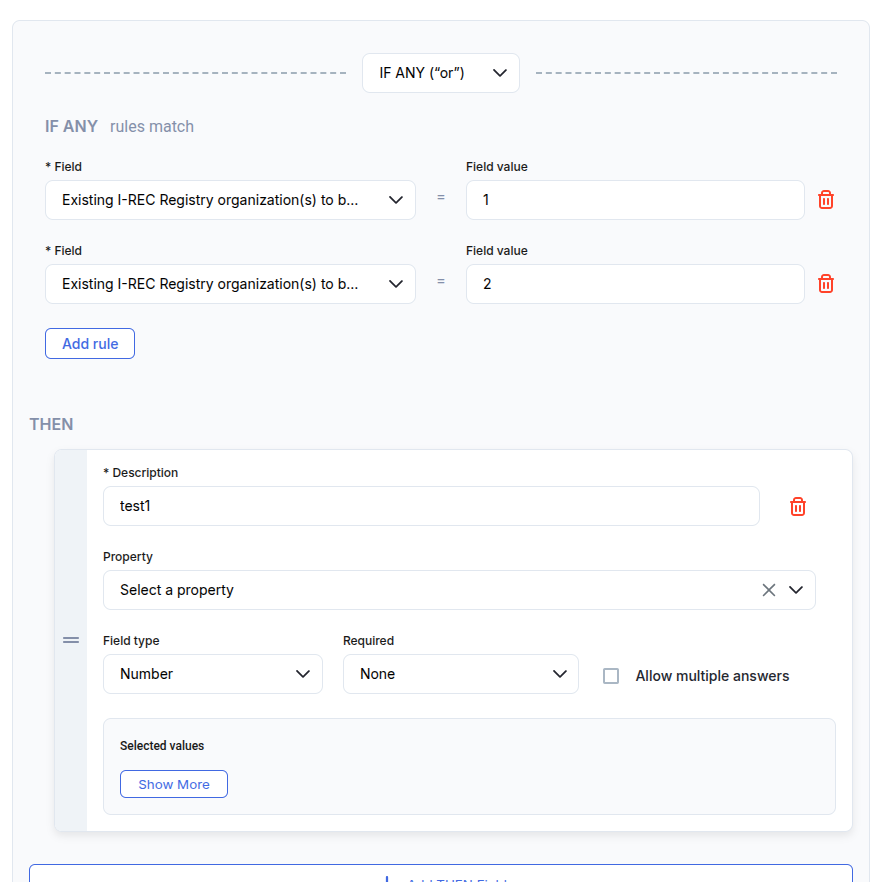
1. **if** – conditions for displaying the fields (only equality is supported)
1. **field** – key (name) of the field
2. **value** – comparison value for the field value
2. **then** – array of fields which is shown when the condition resolves to true (the same format as *fields*)
3. **else** – array of fields which is shown when the condition resolves to false (the same format as *fields*)
4. **IF OR** – at least one rule must be met, and you can add unlimited fields
5. **IF AND** – all rules must be met, and you can add unlimited fields
### **5. Save & Publish the Schema**
* Once all fields are defined → click **Save**.
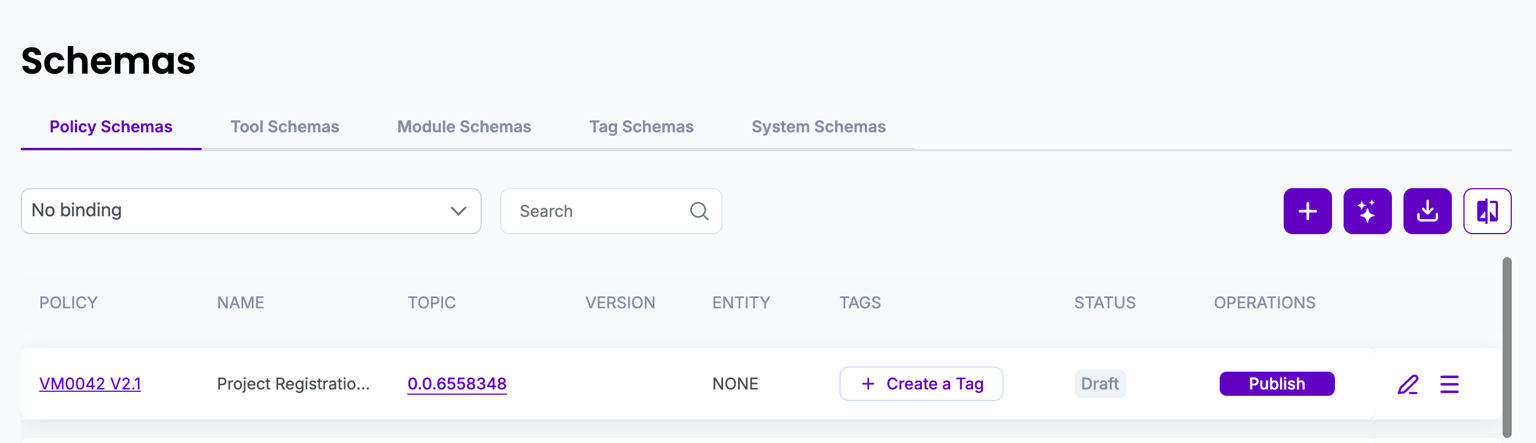
* To make it usable in policies, click **Publish**.
* Publishing makes the schema immutable and available to others.
### **6. Version**
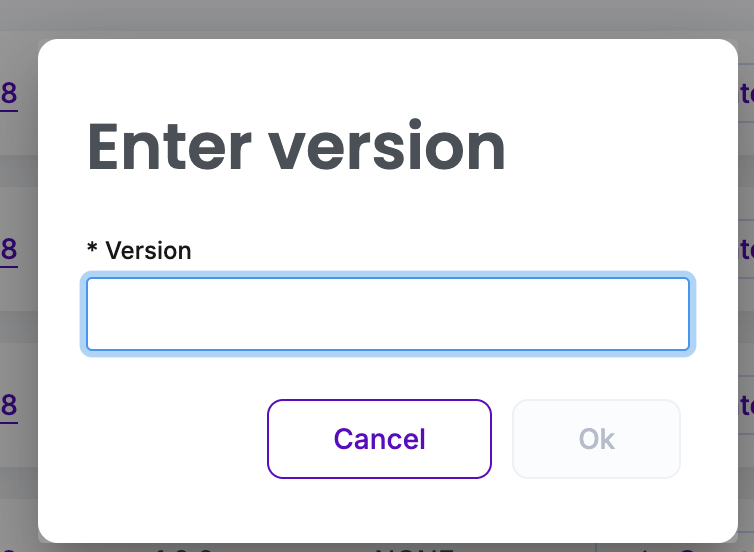
After clicking on Publish, you will be prompted to enter the version. After entering the Version and pressing the submit button, the status will change to Published.
{% hint style="info" %}
**Note**: All Schemas connected to a Policy gets published automatically when Policy gets published.
{% endhint %}
Once the System Schema is created, we have options for activating, deleting, editing and viewing JSON documents.