# Schema Tree UI

## 1. Viewing Schema Tree

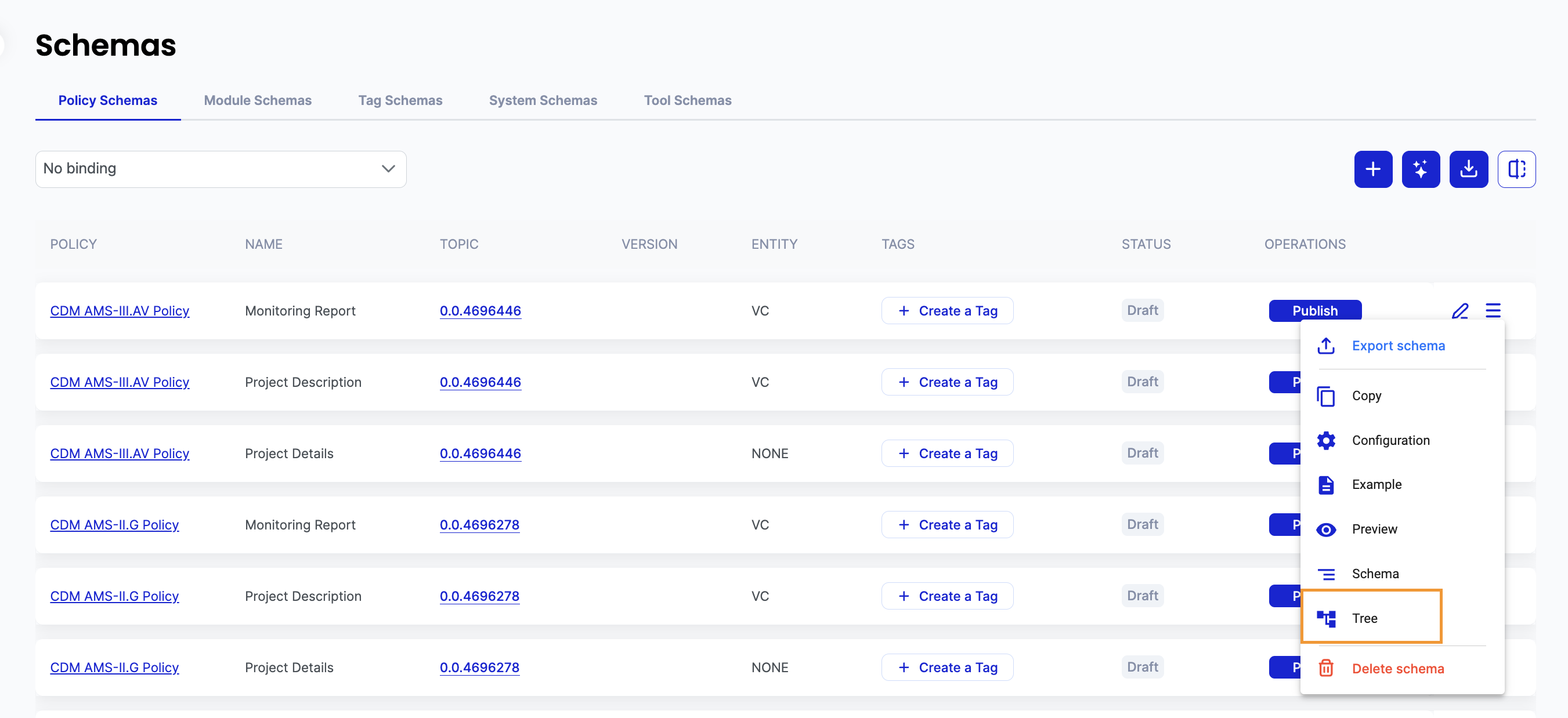
Schema tree hierarchy can be viewed by clicking on Tree button for each Policy Schema or Tool Schema as shown below:

<figure><img src="https://3006114282-files.gitbook.io/~/files/v0/b/gitbook-x-prod.appspot.com/o/spaces%2FXVOaWpJKxLZf1Tee9eCO%2Fuploads%2FV77BHCsulU8Si6QRS5IK%2Fimage.png?alt=media&#x26;token=85037f5f-767d-4757-be19-fc45b47df0f4" alt=""><figcaption></figcaption></figure>

We can move the image by holding and moving the mouse.&#x20;

Each schema and its child schemas are represented by same color in parent to child fashion.

<figure><img src="https://3006114282-files.gitbook.io/~/files/v0/b/gitbook-x-prod.appspot.com/o/spaces%2FXVOaWpJKxLZf1Tee9eCO%2Fuploads%2FzspIFUrIzrIwlMqnzCww%2Fimage.png?alt=media&#x26;token=d6eec603-bd69-4174-8a1e-a5b2afd1eb5e" alt=""><figcaption></figcaption></figure>

## 2. Downloading Tree

Schema Tree hierarchy can be downloaded by clicking on Download icon:
<figure><img src="https://3006114282-files.gitbook.io/~/files/v0/b/gitbook-x-prod.appspot.com/o/spaces%2FXVOaWpJKxLZf1Tee9eCO%2Fuploads%2F71Di0f3VHEdPwTezc0Ye%2Fimage.png?alt=media&#x26;token=1d5b8b9b-253b-4bd3-a209-e7eaaa924bdc" alt=""><figcaption></figcaption></figure>
